
Invoices
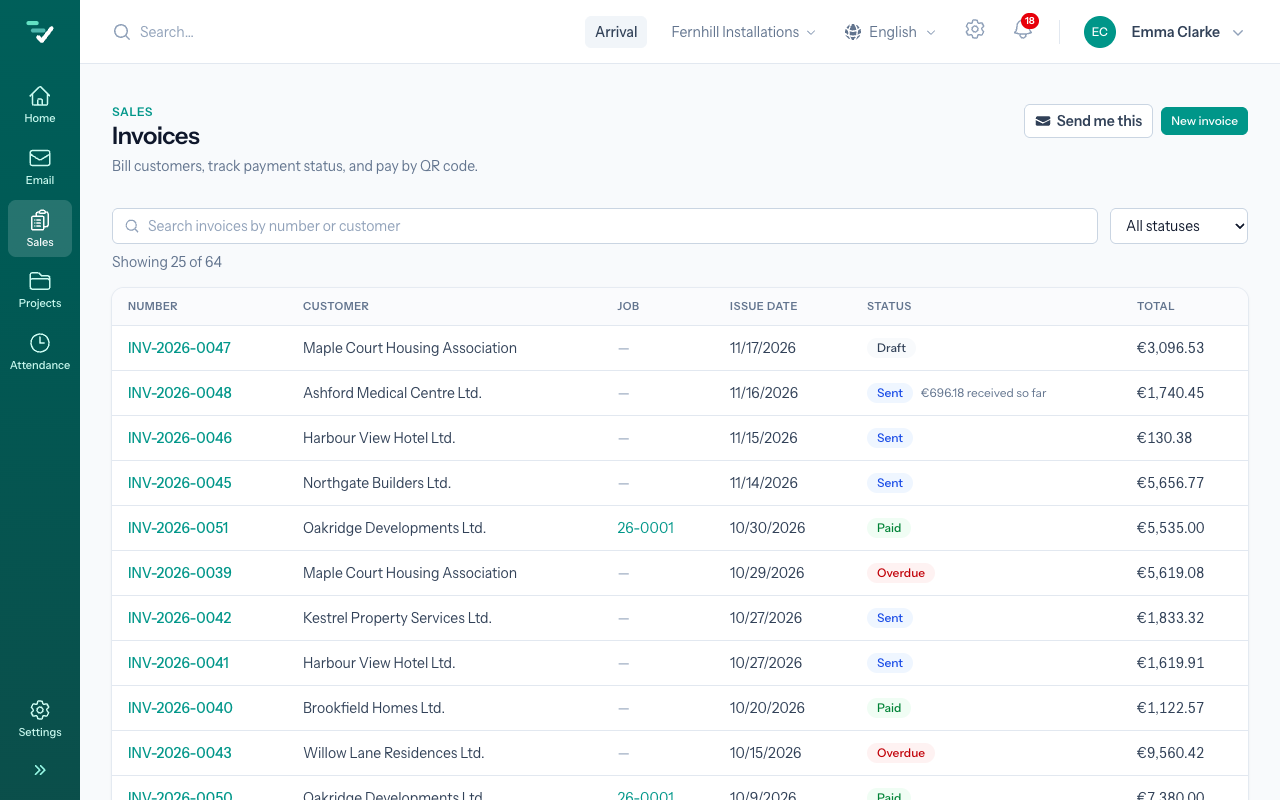
Sales › Invoices holds every invoice the company has issued: what it billed to whom, what has gone out, what has been paid and what is overdue. You come here to issue an invoice, send it, write in a payment on it or correct it.
Where an invoice comes from
You rarely write an invoice from nothing — it comes from work already in the application:
- From an accepted offer. On an offer in the Accepted status you press Convert to invoice, and the invoice takes over the customer, the lines and the totals. Right for smaller work billed in one go.
- From a job, in parts. A bigger job is invoiced from the job's page: partial invoices as a percentage or a sum of the agreed price, and at the end a final invoice that takes them off. See Job invoicing.
- From material handed out. Material handed out for a job, or ordered by a customer, is invoiced from the material list.
- By hand. New invoice opens an empty draft — for a small repair there was no offer for, say.
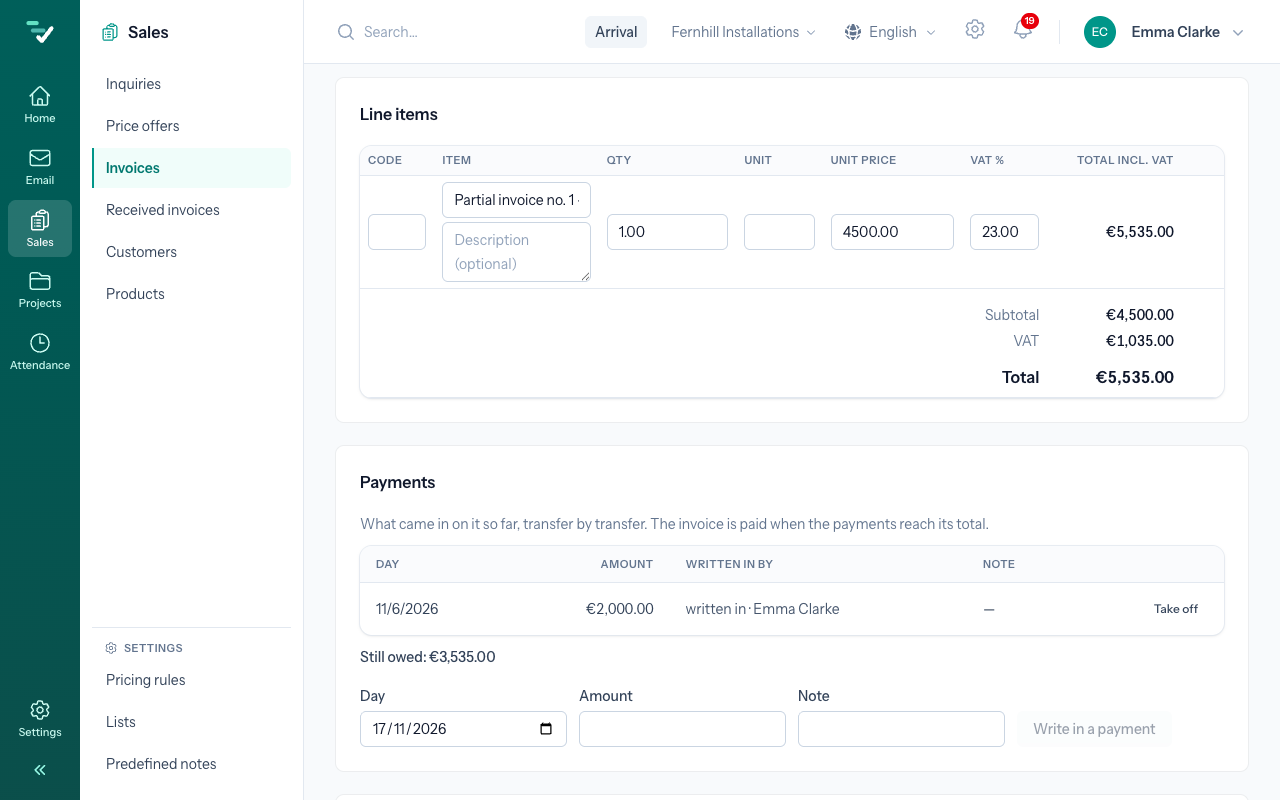
An example: a developer accepts an offer for underfloor heating of €18,450 with VAT and agrees to pay 30 % on ordering, 40 % halfway and the rest on handover. The offer becomes a job, the job's page gives two partial invoices (€5,535 and €7,380), and then a final invoice that lists the whole work, takes off both parts by their numbers and leaves €5,535. The whole story is in the guide From inquiry to paid invoice.
An invoice made from a job or an offer knows it: the job's and the offer's numbers are on the print and on the e-invoice. A draft made by hand can be tied to a job in the Job field — only to a job of the same customer.
From draft to paid
A draft (Draft) is a working version. You can change its customer, lines, dates and notes, and you can delete it. The due date is set from the customer's payment terms. Mind the Date of supply: it is the day the work was supplied, and it decides which VAT period the invoice belongs to. Review shows the invoice as the customer will get it.
A sent invoice (Sent) is a document. Send to customer sends it by e-mail from the shared mailbox with the PDF attached; if the company is connected to e-invoicing, it can go as an e-invoice at the same time. Sending freezes your company's and the customer's details on the invoice — change your address or bank account later and the sent invoice stays as it went. More: Send an invoice, E-invoice.
An invoice is paid (Paid) when the payments reach its total. You write in each payment separately, with its day and amount; while even part is missing, the invoice stays open and shows what is still owed. Once its due date has passed, it is Overdue. More: Payments.
When an invoice is wrong
You no longer change a sent invoice — it is a document the customer holds. You correct it with a corrective document: Issue a correction on the invoice issues a credit note when the amount goes down (goods returned, a discount given afterwards, part of a delivery cancelled), or a debit note when it goes up. You choose only the lines and quantities that changed; the corrective document has its own number and is sent like an invoice. See Credit and debit notes.
An invoice that should never have been made can be voided with Void invoice…. Voiding is final, and the invoice stays on record as Cancelled.
The Owner, Admin and Office roles issue and send invoices; the Manager role only reads them — more in the roles overview. The AI agent never issues or sends an invoice.
Next: Send an invoice · Related: Payments